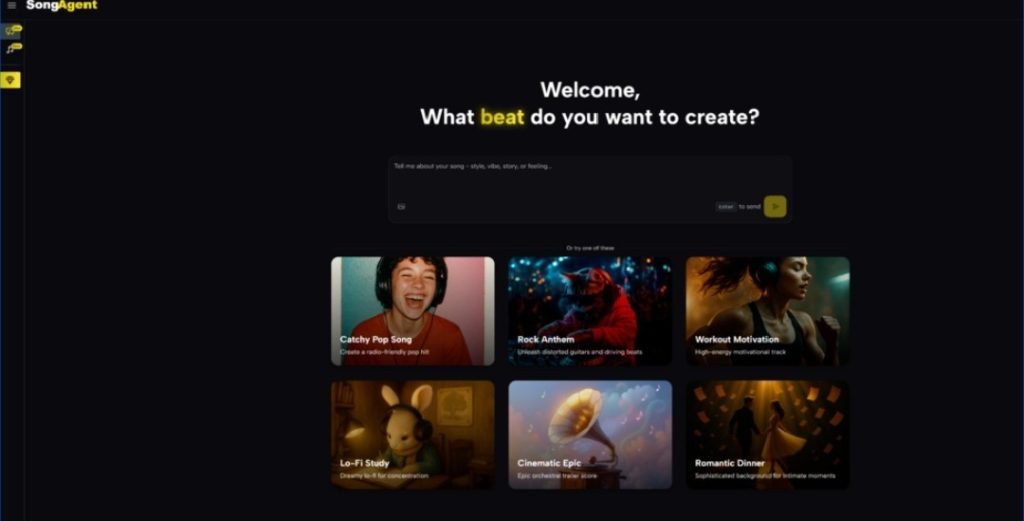
If you’ve ever tried to turn a vague musical feeling into something you can actually use, you know the gap: you start with a mood, then you get stuck juggling genre labels, structure, instrumentation, and endless re-renders. That friction gets worse when you’re on a deadline—your “quick idea” turns into a late-night spiral of tweaks. In my own tests, what helped most wasn’t “more buttons,” but a clearer creative handshake: a tool that shows you what it thinks you want before it commits. That’s why I keep coming back to AI Music Agent—not as a magic wand, but as a guided workflow that turns a prompt into a plan, then into a track you can refine.
The Real Bottleneck Isn’t Generating Music—It’s Aligning on Intent
Most creators don’t fail because they can’t type a prompt. They fail because:
- They can’t reliably describe structure (“I want the chorus to lift”).
- They can’t predict how a prompt will translate into arrangement.
- They can’t iterate quickly without the output drifting away from the original vibe.
What I noticed in practice
When a tool jumps straight from “prompt” to “song,” you often spend your iterations correcting misunderstandings. The most useful step is the one that prevents misunderstandings in the first place.
Where AI Music Agent feels different
It introduces a “blueprint” moment—an explicit plan you can sanity-check—before you generate.
A helpful metaphor
Think of it like ordering a custom suit:
- A typical generator hands you the suit immediately (“Here you go”).
- AI Music Agent shows you the measurements and cut first (“Here’s what I’m going to make—confirm?”).
Why that matters
Because the earlier you catch a mismatch (tempo, key, instrumentation, structure), the fewer re-generations you burn.
How AI Music Agent Works (In a Way You Can Actually Feel)
Step 1: Describe your musical vision
You can talk like a human, not a producer. I’ve used prompts like:
- “A confident, warm electro-pop intro for a product reveal.”
- “Lo-fi piano with a gentle lift in the chorus, like sunrise in a quiet city.”
Step 2: Review the musical blueprint
This is where you see what the system is about to do—typically including:
- Structure (intro/verse/chorus/bridge/outro)
- Instrument choices (e.g., drums, bass, keys, strings)
- Key and tempo
- Style cues (how it intends to deliver the emotion)
My experience: this step reduced “wasted generations.” I caught tempo choices early more than once—before they became a whole track that needed fixing.
Step 3: Generate and refine
Once the plan matches your intent, you generate—and then you can iterate with targeted requests:
- “Make the chorus hit harder—more rhythmic drive.”
- “Soften the hi-hats and give the bass more space.”
- “Let the bridge breathe, then lift into the final chorus.”
Step 4: Download and produce
From there, you’re not stuck with a single version. You can request practical variants:
- Instrumental version
- Short edits (e.g., 15/30/60 seconds)
- Alternative intensity (calm vs. energetic)
Before vs. After: What Changes When You Use a Blueprint
Here’s the shift I felt after a few sessions:
- Before: Prompt → surprise output → fix misunderstanding → re-generate → drift
- After: Prompt → blueprint check → generate → refine with intent → export variants
The Difference Shows Up in Iteration Quality
When you’re editing an already-correct direction, your prompts become musical rather than corrective. You’re shaping, not firefighting.
Feature Comparison That Matters in Real Projects
| Decision point | AI Song Agent | Typical Prompt-to-Music Generator | Traditional DAW-only Workflow |
| Creative alignment before generation | Yes—review a plan first | Rare—usually generate immediately | Yes, but manual and slow |
| Iteration style | Conversation-driven refinements | Often requires re-rolling | Precise, but time-intensive |
| Output formats for delivery | Mixed outputs suitable for use cases | Varies by tool | Depends on your export setup |
| Producer handoff (stems / separation) | Available in advanced workflow | Sometimes limited | Full control, but manual |
| Best for | Creators who want speed with direction | Fast experiments | Deep production and mixing |
What It’s Especially Good For
1) Content creators who need “right vibe, fast”
If you’re making short-form video, podcasts, or social ads, you don’t just need music—you need repeatable music: similar sonic branding, different variations.
2) Teams that need consistency across multiple tracks
The blueprint concept makes it easier to keep multiple outputs cohesive. Instead of hoping your next prompt matches your last one, you’re anchoring the series in a shared plan.
3) People who want a bridge between “non-musician” and “producer”
I’ve found it helpful when collaborating: the blueprint acts like a shared language between someone who talks in emotions and someone who talks in tempo and arrangement.
Limits Worth Knowing (So It Feels Real, Not “Effortless Magic”)
No AI music workflow is perfect. A few honest constraints I’ve run into:
Prompt quality still matters
If your prompt is vague (“make it cool”), the result can be generic. The tool can guide you, but it can’t read your mind.
You may need multiple generations
Even with a blueprint, you sometimes need two or three tries to land on the exact emotional contour—especially for vocals and complex genre blends.
Results can vary by style
In my testing, some styles “lock in” faster (ambient, lo-fi, certain electronic moods), while others can take more nudging (very specific pop vocal hooks or unusual hybrid genres).
A Practical Prompt Template I Use
Core prompt
- Use case: (TikTok intro / podcast bed / game menu)
- Emotion: (warm, tense, euphoric, nostalgic)
- Genre reference: (electro-pop / lo-fi / cinematic ambient)
- Structure: (short intro → clear chorus lift → clean outro)
- Instrumentation: (drums, bass, synth pads, piano, strings)
- Optional: vocal preference (none / light hooks / full vocal)
Example
“Create a 30–45 second electro-pop cue for a product reveal: confident, bright, modern. Short intro, strong lift, clean ending. Punchy kick, tight bass, airy synths, subtle vocal chops.”
Where This Fits in a Modern Music Workflow
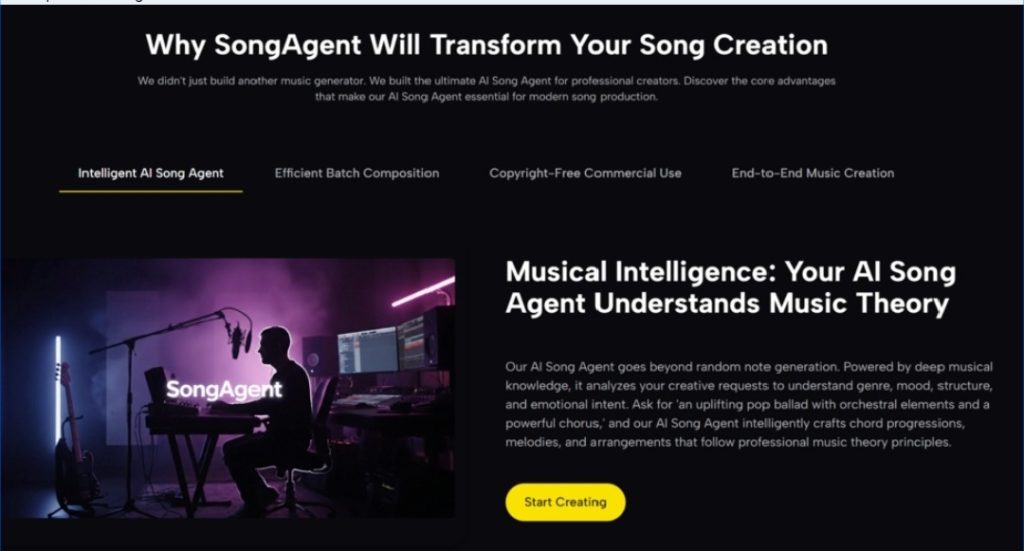
Song Agent isn’t replacing musicianship. It’s compressing the early-stage work:
- translating intent into structure,
- exploring variations quickly,
- producing usable drafts without a full production setup.
When I treat it like a collaborator—one that shows its plan first—I get more reliable outcomes and fewer dead-end generations.
Final Take
If you’ve tried AI music tools and felt like you were rolling dice, the blueprint-first workflow is a meaningful change. AI Music Agent feels less like “instant music” and more like “fast pre-production”—and that’s exactly the part that usually steals your time.



