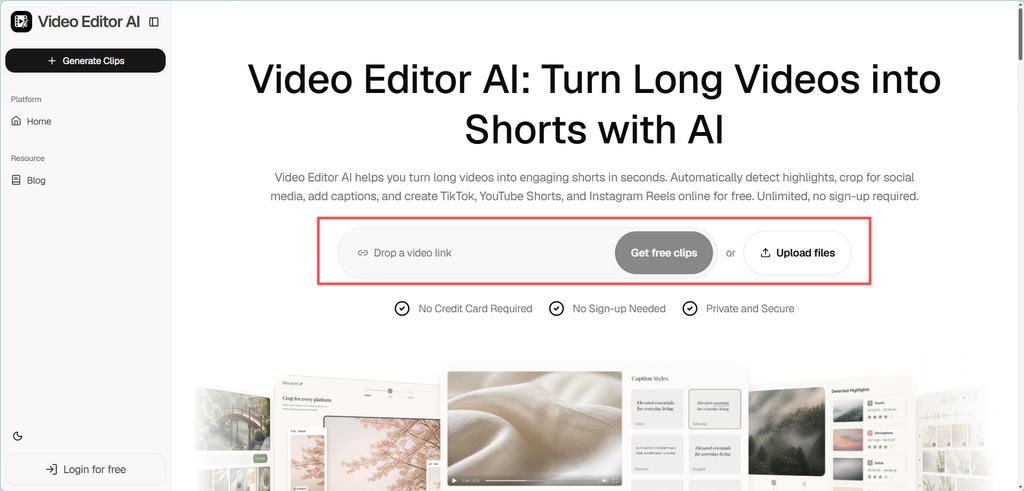
Ad formatting is less about forcing one video into several rectangles and more about preserving the idea across different viewing environments. Video Editor AI can help teams create placement-specific versions for TikTok and Meta while keeping the subject, on-screen text, captions, and call to action clear. The process becomes faster, but still requires current specifications, previews, and human policy review before launch.
Start with Placements, Not Just Platforms
“TikTok” and “Meta” are not single formats. A campaign may run in TikTok’s in-feed environment, Instagram Reels, Instagram Stories, Facebook Feed, or other placements with their own presentation and interface overlays. Available aspect ratios, duration limits, optimization options, and creative recommendations can differ by placement, objective, account, region, or product type.
A universal checklist therefore ages quickly. TikTok and Meta update their guidance, so marketers should verify current requirements in the relevant ad manager and official documentation. A successful upload is not automatically the best experience for every placement.
Separate technical formatting from advertising policy. A poor crop or obscured text can hinder comprehension or fail a technical requirement, but format issues are not the same as policy violations. Reviews may also depend on claims, products, disclosures, landing pages, and other advertising policies.
Design a Master That Can Travel
Before exporting multiple versions, build a master edit with adaptation in mind. Keep important action near the central area when possible, leave room around headlines and logos, and avoid placing essential information at the extreme edges. Capture source footage at a resolution that allows reasonable reframing without making the image visibly soft.
The master also needs a clear hierarchy:
- What should the viewer notice first?
- Which visual or line explains the value?
- What information must remain visible long enough to read?
- What action should the viewer take next?
These decisions show the team which elements can move and which must remain prominent.
Reframe the Composition, Not the Meaning
Converting a wider video to 9:16 may require a tighter crop, a repositioned speaker, or a different B-roll choice. Converting vertical footage for a feed placement may need a redesigned background or a separate layout rather than empty space or aggressive enlargement.
Automated reframing can follow a face or product and produce a useful first pass. Reviewers should still watch for hands, packaging, demonstrations, and secondary speakers that move outside the frame. A crop can be technically clean while removing the context that makes a claim understandable.
On-screen text deserves its own pass. Interface elements may cover parts of the creative, and the visible area can vary by placement and device. Use placement guidance as a starting point, then preview each version in the tools provided by the platform. Do not assume that one “safe zone” template will remain accurate everywhere indefinitely.
Handle Captions with the Right Logic
Changing aspect ratio alone does not change the timing of spoken audio, so it does not inherently require captions to be re-synchronized. If the edit and audio remain identical, the same caption timings may still be correct. What usually needs adjustment is caption layout: line length, font size, position, contrast, and possible conflicts with interface overlays.
Caption timing should be checked again when the content itself changes—for example, when a shorter version removes a sentence, rearranges clips, speeds up a section, or uses a different voiceover. Automated transcription can save time, but names, prices, product terms, and punctuation should be verified by a person. Captions should support comprehension rather than compete with the visual.
Use a Version-by-Version Production Loop
A reliable workflow can be organized into five passes.
1. Define the Delivery Matrix
List the actual placements you intend to buy instead of exporting every imaginable size. Record the current technical requirements and label each deliverable clearly.
2. Create Format Drafts
Use Video Editor AI to generate the required aspect ratios and, where the campaign calls for them, alternative durations. Keep the core message consistent unless a deliberate creative test requires a change.
3. Inspect Every Placement Preview
Preview each asset for its specific placement. Check subject framing, text visibility, caption position, thumbnail or cover behavior, and the transition into the call to action. A general media-player review is not a substitute for placement-level previewing.
4. Conduct Human Policy Review
Have a qualified reviewer assess claims, disclaimers, restricted categories, rights and permissions, landing-page consistency, and any market-specific requirements. Automation can flag issues or streamline a checklist, but it should not be treated as final legal or platform-policy approval.
5. Upload, Recheck, and Monitor
Confirm that the ad manager has interpreted the file as expected. Review the final setup, including destination URL and placement selection, before publishing. After launch, monitor delivery and feedback; platform acceptance at upload does not guarantee continuing approval or strong performance.
Faster Formatting Without False Confidence
The main benefit of an assisted workflow is reduced repetitive work. Teams can create reframed drafts, reposition captions, and export organized deliverables without rebuilding each version from scratch. That gives editors more time to fix the exceptions that automation cannot resolve well.
Speed should support quality control, not replace it. Current platform documentation remains the source for current specifications. Placement previews reveal visual problems. Human reviewers evaluate policy and context. Performance data then shows whether the adaptation actually communicates effectively to its audience.
Conclusion
Video Editor AI (https://video-editor.ai/) helps turn a strong master edit into practical, placement-specific drafts for TikTok and Meta. The best workflow combines that efficiency with up-to-date specifications, individual placement previews, accurate caption checks, and human policy review. Because platform products and requirements change, reusable templates should be treated as starting points rather than permanent rules. The result is a more adaptable production process—not a promise of approval, delivery, or performance.
Prepare placement-ready ad drafts with Video Editor AI today: https://video-editor.ai/
Read More : What Happens When an AI Photo Editor Treats Images as the Starting Point, Not the Finish Line