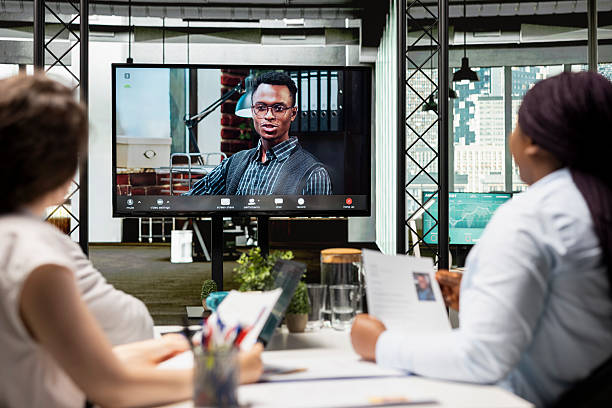
Remote work has become more common in the 2020s. After the pandemic, the world saw that it was possible for remote work to be viable at scale. Since then, the number of employees who work remotely has only increased. According to a report by Yomly, 48% of employees in the global workforce work remotely.
That’s why many companies have remote work and hybrid work arrangements, as many employees prefer that over in-office work. However, this comes with its own challenges. One of the prominent difficulties in remote work is employee onboarding.
In an office, seniors and HR managers can simply guide the employee in person. In remote work, you have to do that virtually, and that can be hard for a variety of reasons. In this guide, we will cover various methods on how companies can handle virtual onboarding easily and effectively.
Why Remote Onboarding Matters
Onboarding in any shape or form is important because it provides the following benefits:
- Decreases the time to productivity of new hires
- Helps new hires be confident and get used to their new environment
- Strengthens employee engagement
As a result, companies gain an asset.
Bad handling of onboarding results in high turnover and a lot of wasted time and resources. That happens because poor onboarding makes new hires feel:
- Unimportant
- Underappreciated
- Undervalued
Nobody likes to feel that way, and it can push them to leave the company feeling frustrated and unwanted. That’s why it is necessary for onboarding to go well.
A Step-by-Step Plan for Smooth Remote Onboarding
Now that you know how important it is for onboarding to go smoothly and effectively, here is a plan of action you can use to do it.
- Preboarding: Prepare Before the First Day
Remote onboarding starts before the actual first day on the job. The company has to prepare everything that the employee will need to do their job. So hiring managers, HR, or whoever else’s job it is to onboard new hires, will have to do the following things beforehand.
- Ship any required equipment early and confirm that the new hire has access to all required tools and platforms. This includes setting up a VPN for their office work, providing a laptop/PC for their work, and an internet connection.
- Share key documents, handbooks, and instructions at least a week before starting so the employee can learn about the company and not feel overwhelmed on the first day.
- Provide instructions on troubleshooting the employee’s connection to the company software and a checklist they should go through to ensure nothing goes wrong on the first day. This includes things like a DNS lookup for the company portal, a speed test for the internet, OS compatibility, and installing assorted software required for the employee’s duties.
- Send a personalized welcome message or a small welcome package to build a connection and make the employee feel important and appreciated.
This will set the tone for the rest of the employee’s tenure in your company.
- First Day & First Week: Orientation and Relationship Building
Preboarding helps an employee anticipate how they are expected to act and work. It teaches them about the basic day-to-day operations they have to do, such as clocking in/out, applying for leave, working hours, overtime policy, etc.
The first day and week of onboarding are supposed to ease them into the company culture and their own role. Here’s what onboarding managers need to do to help the new hires.
- Start with a warm welcome call to introduce the new hire to the team.
- Offer a clear overview of the company’s mission, structure, values, and communication style over a conference call.
- Add the new employee to relevant communication channels and tools so they can participate immediately.
- Pair them with a mentor or buddy who can answer questions and help them settle in.
- Give them the information about who they answer to, how their work will be graded, and how they are expected to act.
This way, you set the expectations of the company for the employee in a way that they can understand. You also leave them room to grow and understand the company culture better.
- Role-Specific Training and Practical Integration
Once the foundation is set, it is time for training. Training should help the new hire understand how things actually get done. Here’s what the company will need to do to ensure that training goes smoothly.
- Provide detailed instructions, guides, or training modules tailored to their responsibilities. The best way to do this is via a knowledge base that the employee can access at any time. Role-based access in modern KBs will help employees to find the information pertaining to their role easily.
- Use convenient tools like QR codes that employees can interact with to directly open tutorials and training material. You can generate QR codes with ease with online tools.
- Just reading is not enough. Arrange opportunities to shadow teammates or watch processes in action. Many video conference tools allow screensharing on calls. So the buddy/trainer should make extensive use of it to teach specific processes to the new hire.
The next step in training is checking the results. Let’s see how that works.
- Continued Support and Regular Check-Ins
Continued support and regular check-ins help new hires get used to the company easily. In remote jobs, regular check-ins are quite important. They help employees stay on their toes during work hours, and you can help them if they are struggling with something.
Here’s how you can do that.
- Schedule consistent check-ins so they always have space to ask questions or raise concerns. This can be a special Discord or Slack channel.
- Offer constructive feedback early and often to ensure they feel supported in their role. This kind of feedback should be provided by the direct boss of the new hire.
- Provide tests or challenges at the 30, 60, and 90-day marks to check that the employee has learned everything in their training manual.
This will ensure that the virtual onboarding experience is solid.
Conclusion
Virtual onboarding is not just about sending an email with all the rules and regulations. It needs a personal touch. By preparing digital resources beforehand and providing them to the hires in accessible and convenient ways, you ensure their first day and week are not spent in confusion.
Checking in regularly and providing a training buddy as well as a knowledge base ensures that new hires are learning everything correctly and are being productive.